> ## Documentation Index
> Fetch the complete documentation index at: https://docs.release0.com/llms.txt
> Use this file to discover all available pages before exploring further.
# How to customize your Agent Branding Settings
> Customize or remove the footer branding from your agent chat interface for a white-label experience.
## Customize Agent Chat Footer Branding
The **Branding Settings** section allows you to personalize or fully remove the footer branding from your agent chat interface. This feature is ideal for creating a **white-label experience**, enhancing professionalism, and aligning with your brand identity.
> **Note**: This feature is only available for **Pro** and **Business** plans.
### Footer Customization Options
You can configure the following:
* **Show Brand Toggle**: Remove all branding elements from your agent.
* **Brand Text and Brand Link**: Remove the default Powered by Release0 brand link and replace it with your own brand and page URL.
### Steps to Customize Branding
In order to access your agent **Branding Settings**, open your agent settings and click on the three dots located at the bottom of the agent settings dialog box
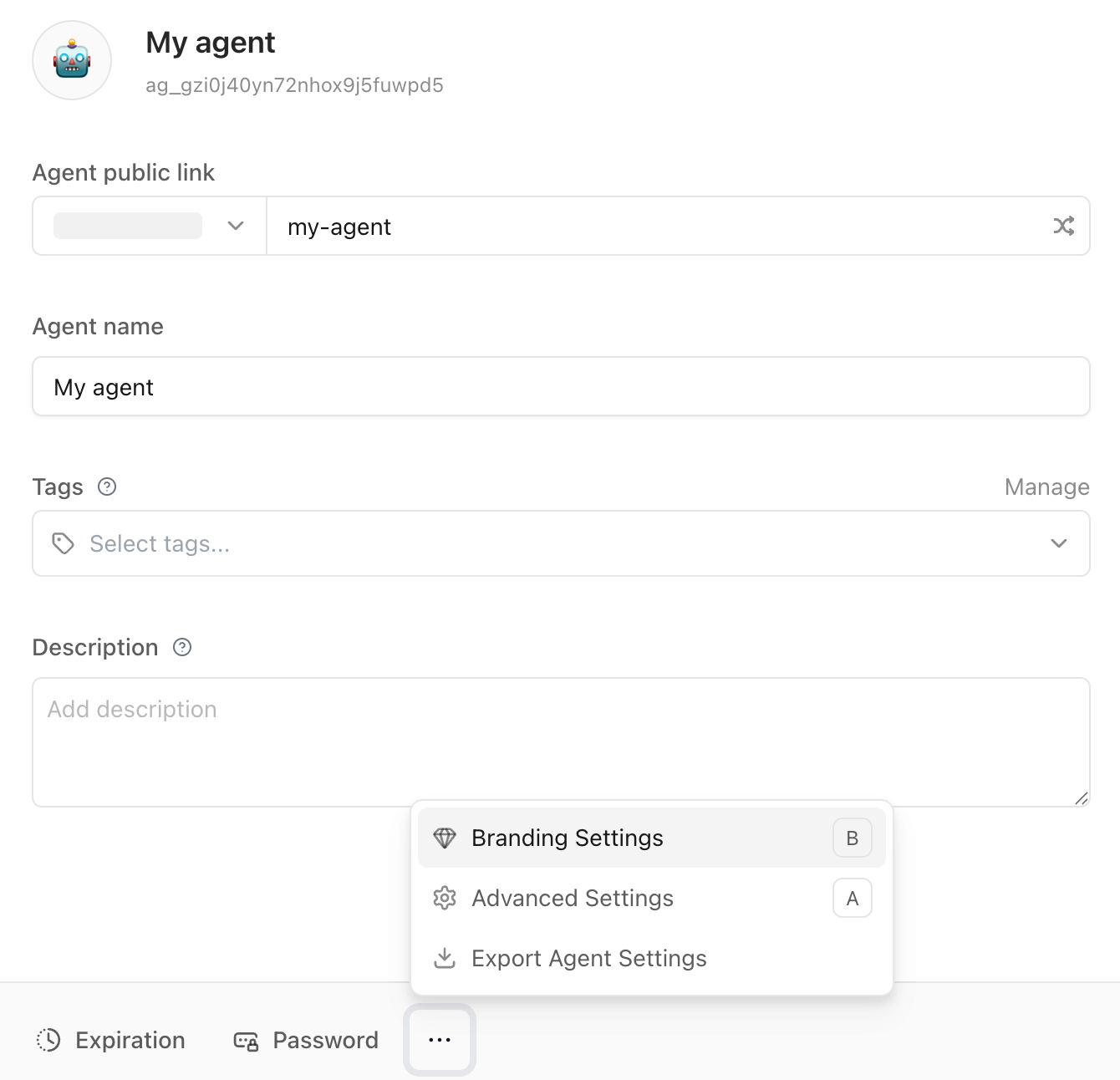 This will open the **Branding Settings** dialog box, where you can customize your agent branding.
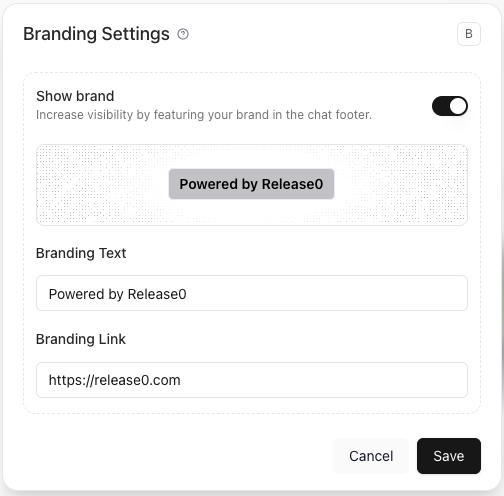 * **Show Brand Toggle**: This option to remove the default branding from your agent.
* **Branding Text**: Enter your brand name.
* **Branding Link**: Enter the URL of your brand page.
* **Show Brand Toggle**: This option to remove the default branding from your agent.
* **Branding Text**: Enter your brand name.
* **Branding Link**: Enter the URL of your brand page.