> ## Documentation Index
> Fetch the complete documentation index at: https://docs.release0.com/llms.txt
> Use this file to discover all available pages before exploring further.
# How to set an Expiration for your Agent
> Learn how to set Agent Expiration in Release0 to automatically disable your chatbot after a specific date. This guide explains how to configure expiration settings, display custom messages, and set up redirects for expired agents.
Set an expiration date for your agent to automatically disable access after a specific date.
### How to Set an Expiration Date
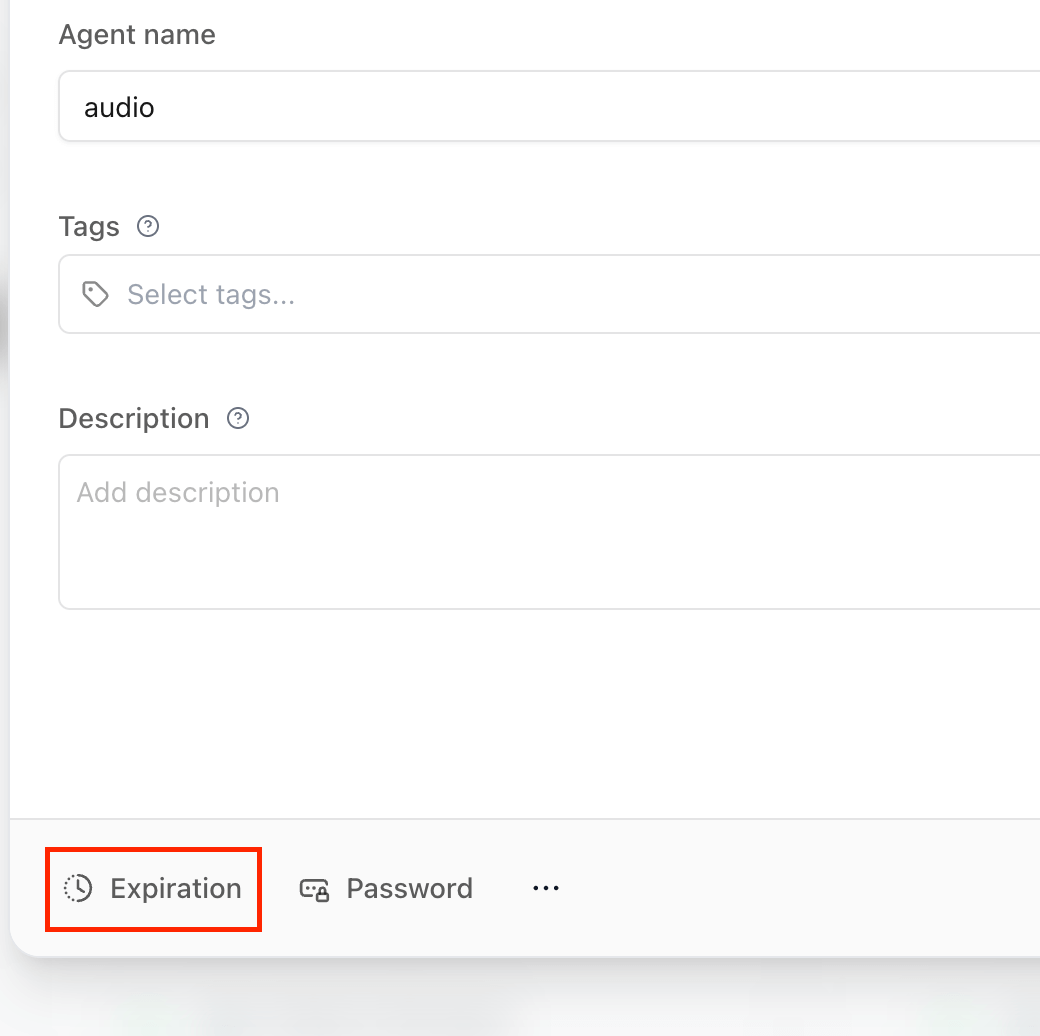
1. Go to the agent's **Configuration** section.
2. Click the **Expiration** button located in the settings panel.
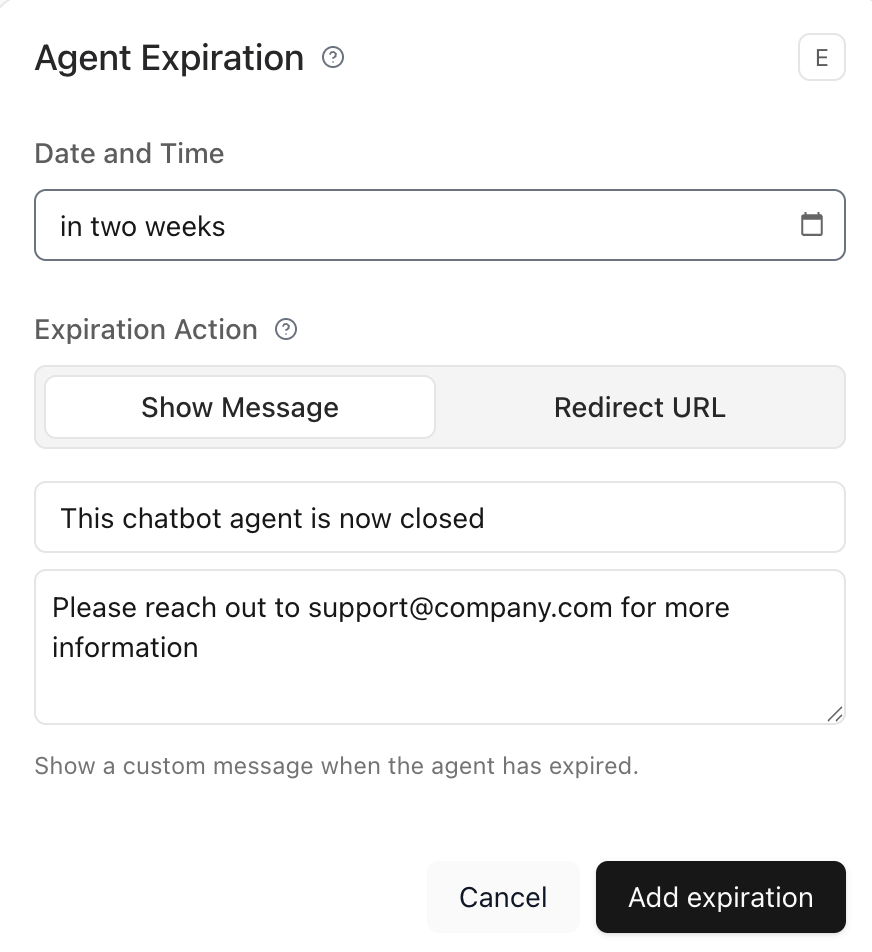
3. In the dialog that opens, enter the expiration date manually or use natural language like:
* `in 3 days`
* `next Friday`
* `2025-06-01 18:00`
4. Optionally, write a custom message or set a redirect URL after expiration.
### What Users Will See
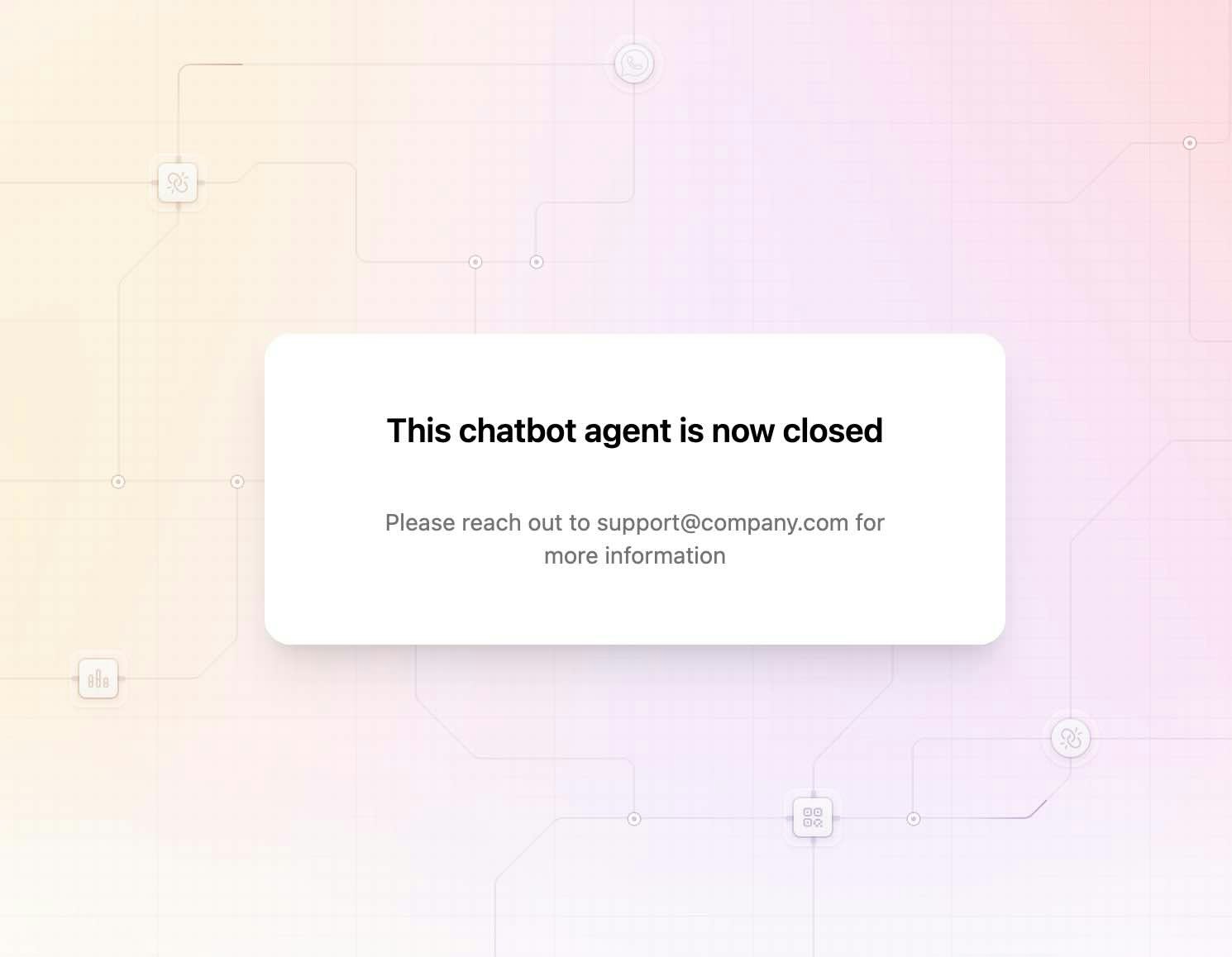
Once the agent has expired:
* Users visiting the public URL will no longer be able to access or interact with it.
* If a **custom message** was set, it will be displayed in place of the agent.
* If a **redirect URL** was configured, users will be taken there automatically.
> **Note**: You can update or remove the expiration date at any time from the same **Configuration** section.
 3. In the dialog that opens, enter the expiration date manually or use natural language like:
* `in 3 days`
* `next Friday`
* `2025-06-01 18:00`
4. Optionally, write a custom message or set a redirect URL after expiration.
3. In the dialog that opens, enter the expiration date manually or use natural language like:
* `in 3 days`
* `next Friday`
* `2025-06-01 18:00`
4. Optionally, write a custom message or set a redirect URL after expiration.
 ### What Users Will See
Once the agent has expired:
* Users visiting the public URL will no longer be able to access or interact with it.
* If a **custom message** was set, it will be displayed in place of the agent.
* If a **redirect URL** was configured, users will be taken there automatically.
### What Users Will See
Once the agent has expired:
* Users visiting the public URL will no longer be able to access or interact with it.
* If a **custom message** was set, it will be displayed in place of the agent.
* If a **redirect URL** was configured, users will be taken there automatically.
 > **Note**: You can update or remove the expiration date at any time from the same **Configuration** section.