> ## Documentation Index
> Fetch the complete documentation index at: https://docs.release0.com/llms.txt
> Use this file to discover all available pages before exploring further.
# How to customize the Agent Link Preview
> Learn how to customize the Agent Link Preview in Release0 to control how your chatbot appears when shared on social media and messaging platforms. This guide covers editing titles, descriptions, and images for optimal link visibility.
Control how your agent appears when shared on social media and messaging platforms.
The **Agent Link Preview** feature allows you to customize how your chatbot agent appears when shared on platforms like WhatsApp, X (formerly Twitter), LinkedIn, and Facebook. This customization enhances visibility and engagement by providing a tailored preview that includes a title, description, and image.
### Customizing the Link Preview
1. Go to the agent’s **Configuration** screen.
2. Scroll to the **Link Preview** section.
3. Click the pencil icon 🖊️ to open the editing panel.
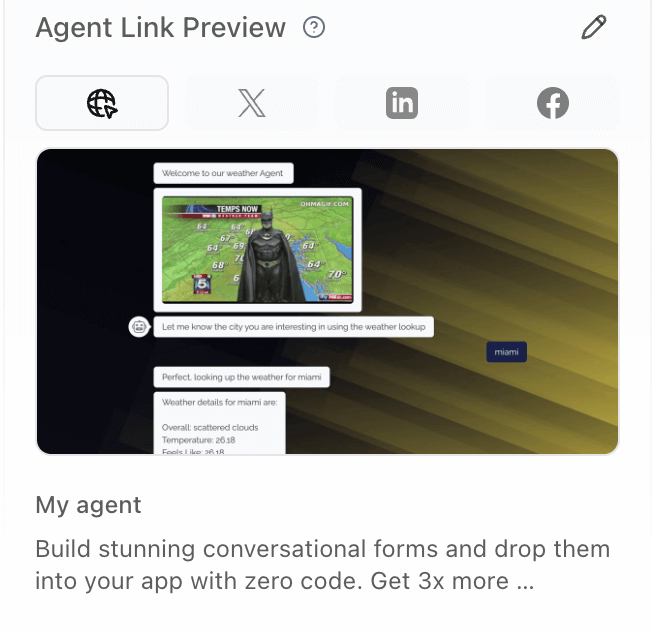 ### Editable Fields
* **Title**: The headline shown in the preview.
* **Description**: A short summary that entices the user.
* **Image**: The thumbnail image shown beside the text.
> **Recommended image size**: 1200×630px (landscape aspect ratio)
### Supported Platforms
Your custom preview will appear when shared on platforms like:
* WhatsApp
* X (Twitter)
* LinkedIn
* Facebook
### Editable Fields
* **Title**: The headline shown in the preview.
* **Description**: A short summary that entices the user.
* **Image**: The thumbnail image shown beside the text.
> **Recommended image size**: 1200×630px (landscape aspect ratio)
### Supported Platforms
Your custom preview will appear when shared on platforms like:
* WhatsApp
* X (Twitter)
* LinkedIn
* Facebook