> ## Documentation Index
> Fetch the complete documentation index at: https://docs.release0.com/llms.txt
> Use this file to discover all available pages before exploring further.
# How to secure your Agent with a Password
> Secure your agents with password protection to control access and restrict unauthorized usage.
Add a password to your agent to restrict access. Users must enter the password before they can interact with the agent.
### How to Set a Password
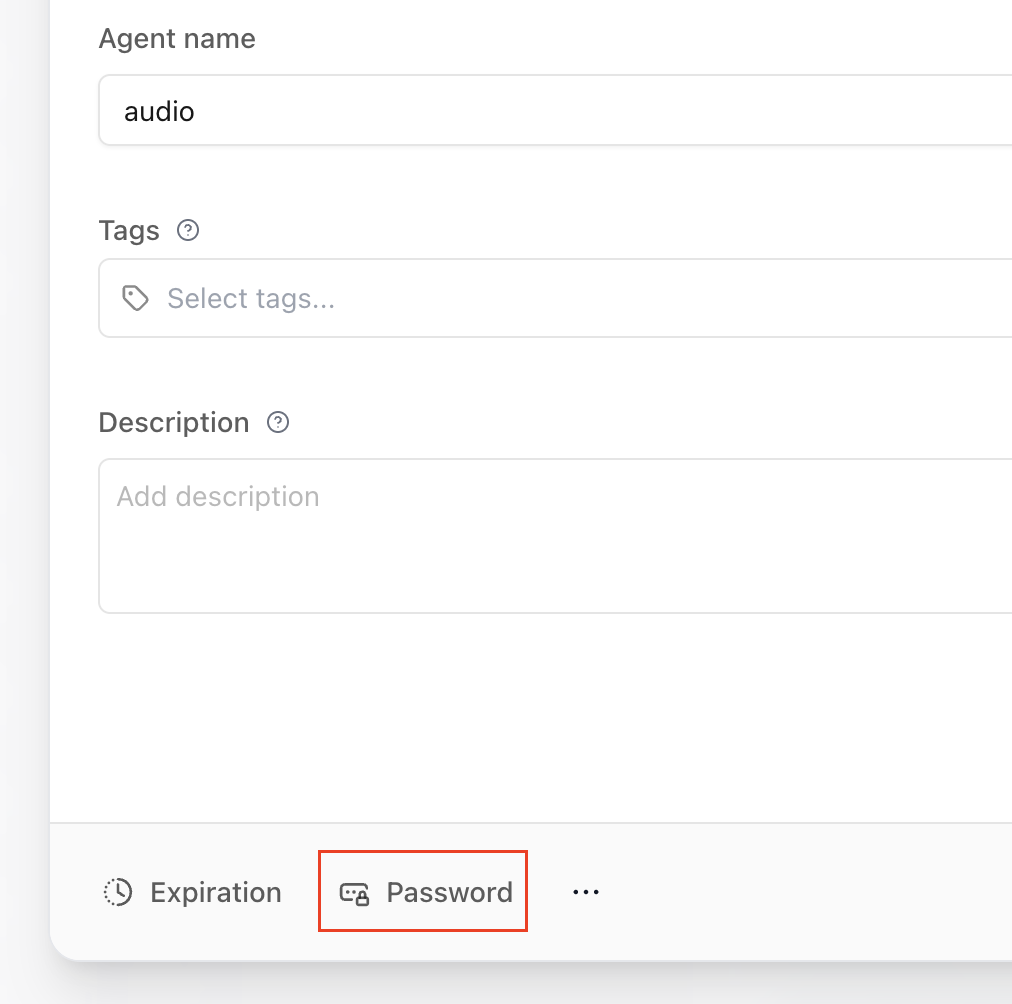
1. Go to the **Configuration** section.
2. Click on the **Password** button.
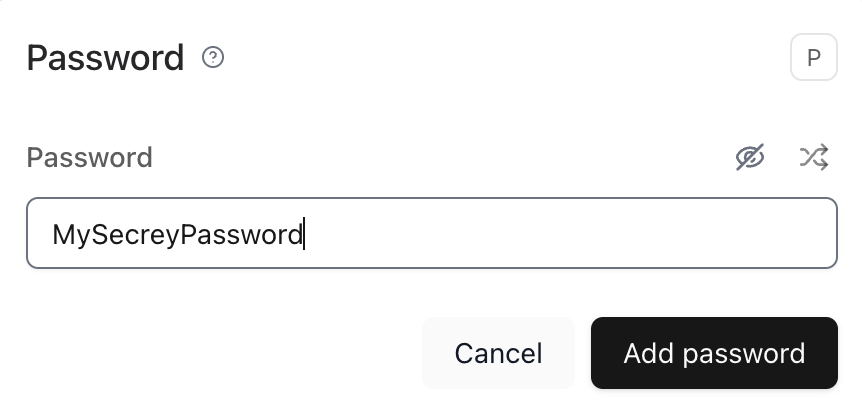
3. Enter the desired password in the dialog that appears.
### What Users Will See
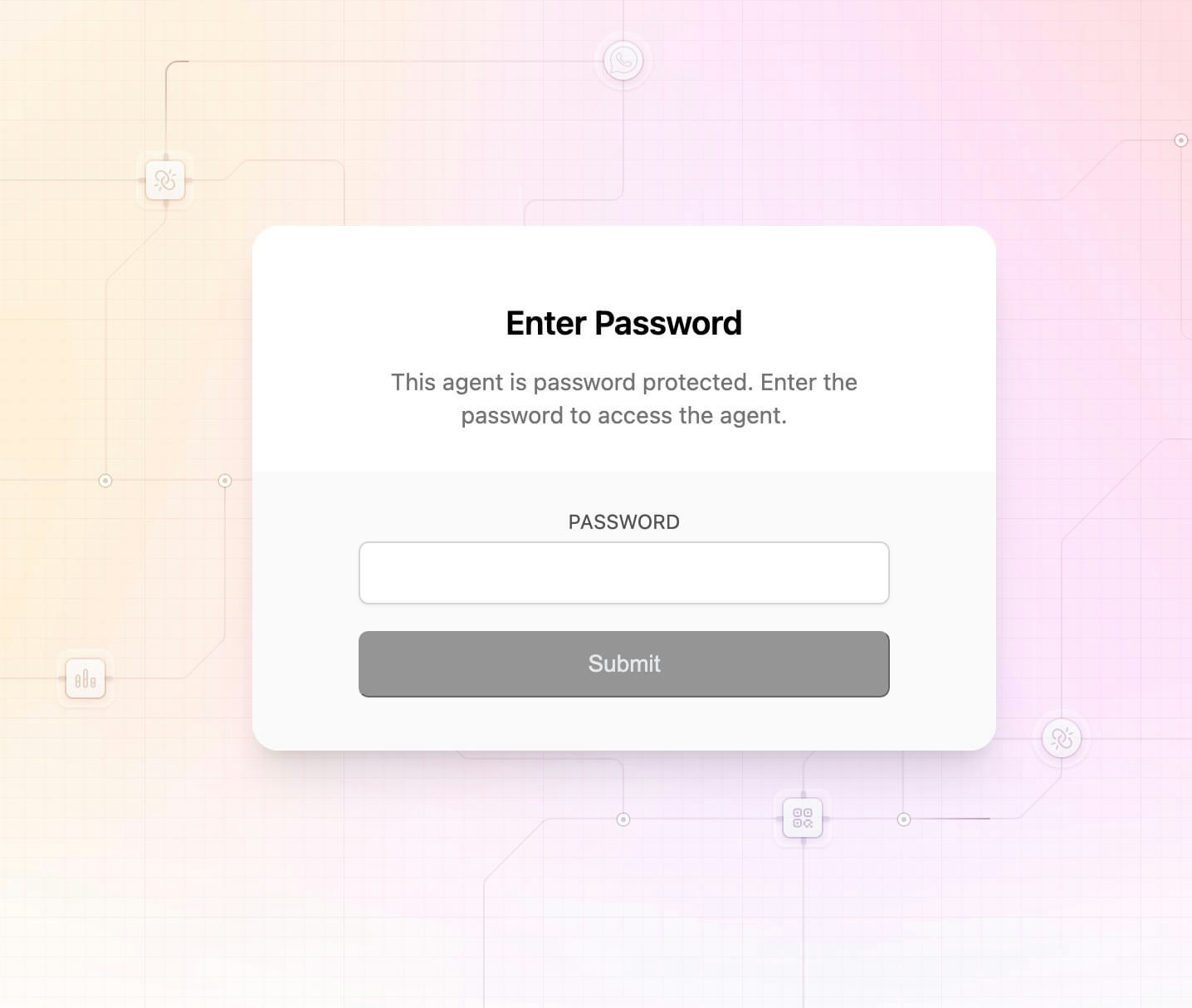
Once the password is set, users visiting the agent will encounter a secure entry screen where they must enter the password to proceed.
> You can update or remove the password at any time from the same **Configuration** section.
 3. Enter the desired password in the dialog that appears.
 ### What Users Will See
Once the password is set, users visiting the agent will encounter a secure entry screen where they must enter the password to proceed.
### What Users Will See
Once the password is set, users visiting the agent will encounter a secure entry screen where they must enter the password to proceed.
 > You can update or remove the password at any time from the same **Configuration** section.