> ## Documentation Index
> Fetch the complete documentation index at: https://docs.release0.com/llms.txt
> Use this file to discover all available pages before exploring further.
# How to unpublish your Agent to disable access
> Learn how to temporarily remove your agent from public access while making updates or changes.
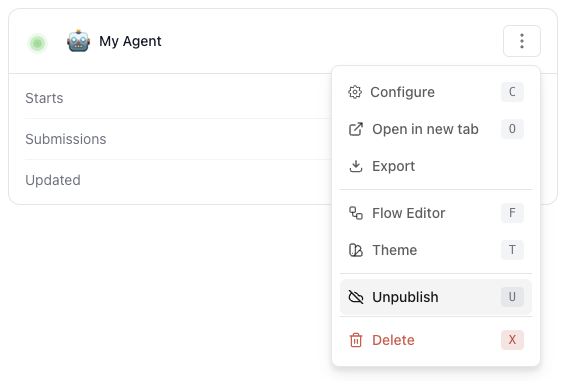
The **Unpublish** option allows you to remove the agent from public access. This is useful when you want to make changes or updates to the agent without it being accessible to users.
When you unpublish an agent, it will no longer be available at its public URL. However, you can still access it in the editor for further modifications.
To unpublish an agent, follow these steps:
1. Open the agent settings in the editor.
2. Click on the **Unpublish** button.
 3. Confirm the action when prompted.
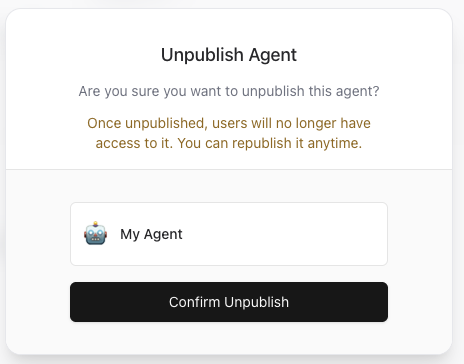 4. The agent will be unpublished and will no longer be accessible via its public URL.