> ## Documentation Index
> Fetch the complete documentation index at: https://docs.release0.com/llms.txt
> Use this file to discover all available pages before exploring further.
# How to use the Text element to display messages
> Learn how to use the Text element in Release0 to display custom messages, format content, and add clickable links in your chatbot conversations. This guide covers setup tips and best practices for creating clear, engaging dialogues.
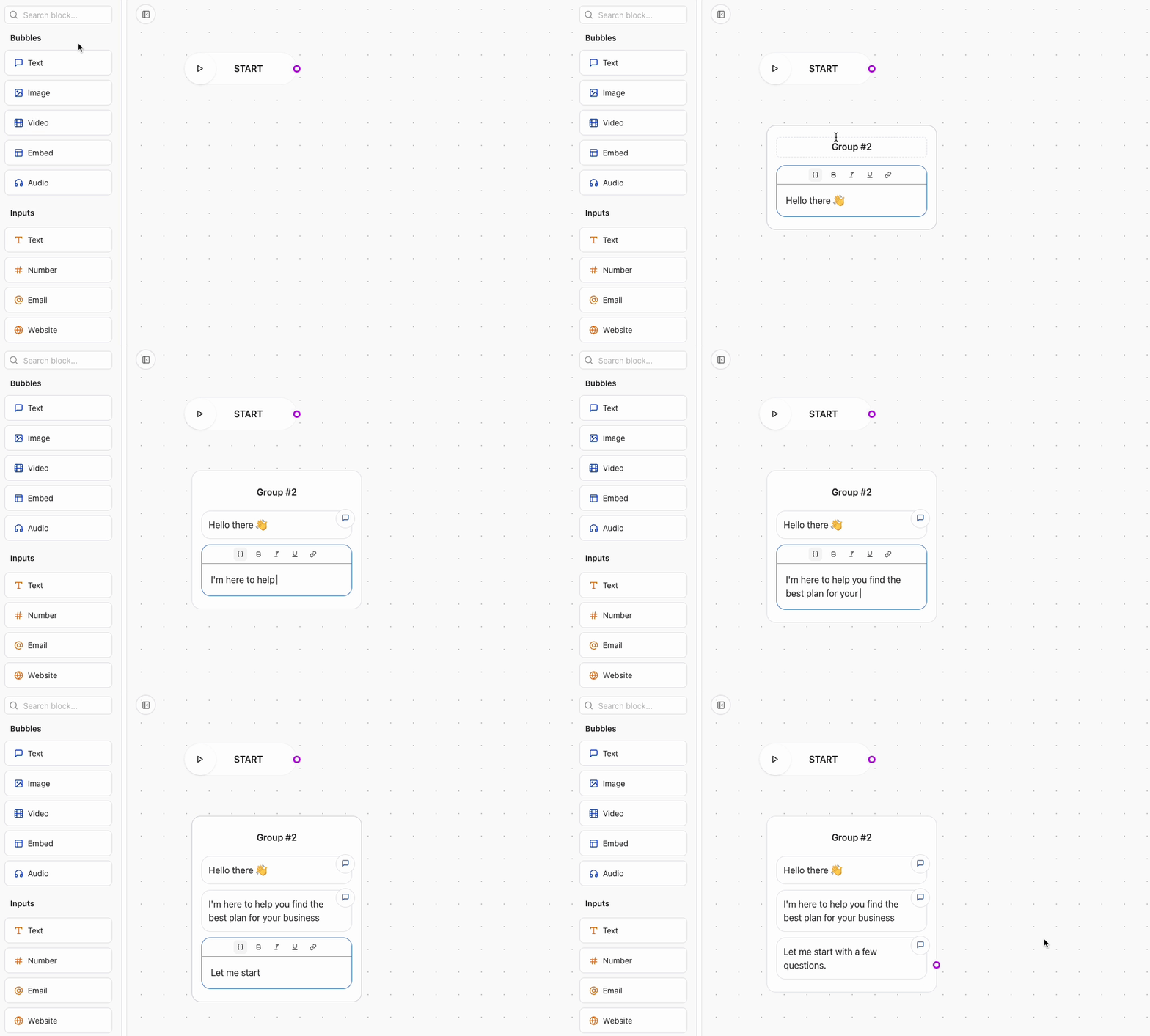
The **Text** Agent Dialog element allows you to display simple text messages to your users. These messages can be chained together, creating a smooth animation that enhances the user experience.
 ###
###
 ## Adding a Link to Text
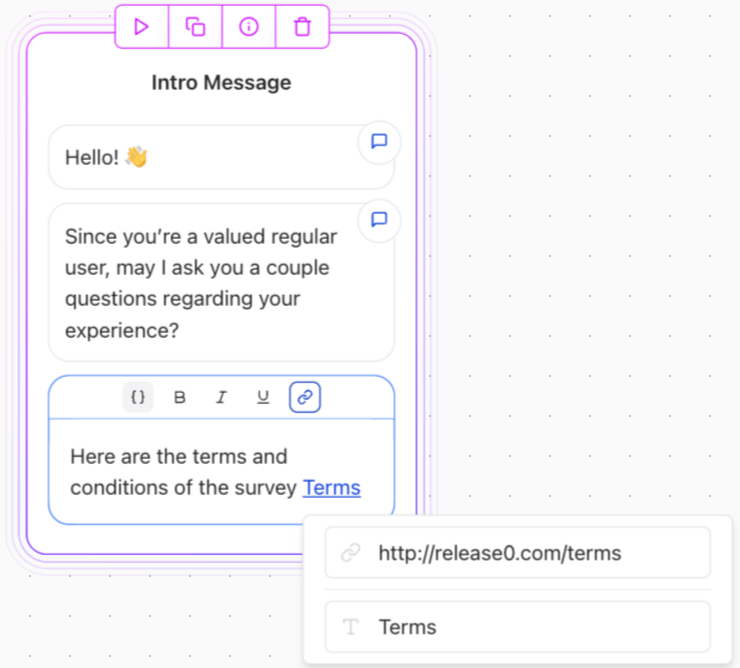
You can include a link within your text messages by using the link icon in the editor.
## Adding a Link to Text
You can include a link within your text messages by using the link icon in the editor.
 ### Supported Link Formats
You can insert links using the following formats:
* **HTTP/HTTPS URLs**: `http://` or `https://`
* **Email Links**: `mailto:example@example.com`
* **Phone Links**: `tel:+123456789`
* **SMS Links**: `sms:+123456789`
Additionally, links can dynamically include variables, enabling personalized or contextual link generation.
### Example of a Text Agent Dialog with Links
```markdown theme={null}
Hello! Check out our [website](https://release0.com) for more details.
You can also [contact us](mailto:support@release0.com)
```
### Supported Link Formats
You can insert links using the following formats:
* **HTTP/HTTPS URLs**: `http://` or `https://`
* **Email Links**: `mailto:example@example.com`
* **Phone Links**: `tel:+123456789`
* **SMS Links**: `sms:+123456789`
Additionally, links can dynamically include variables, enabling personalized or contextual link generation.
### Example of a Text Agent Dialog with Links
```markdown theme={null}
Hello! Check out our [website](https://release0.com) for more details.
You can also [contact us](mailto:support@release0.com)
```