> ## Documentation Index
> Fetch the complete documentation index at: https://docs.release0.com/llms.txt
> Use this file to discover all available pages before exploring further.
# How to use the Play Video element
> Learn how to use the Play Video element in Release0 to embed YouTube, Vimeo, TikTok, and other video content directly into your chatbot. This guide explains supported platforms, configuration options, and tips for smooth playback.
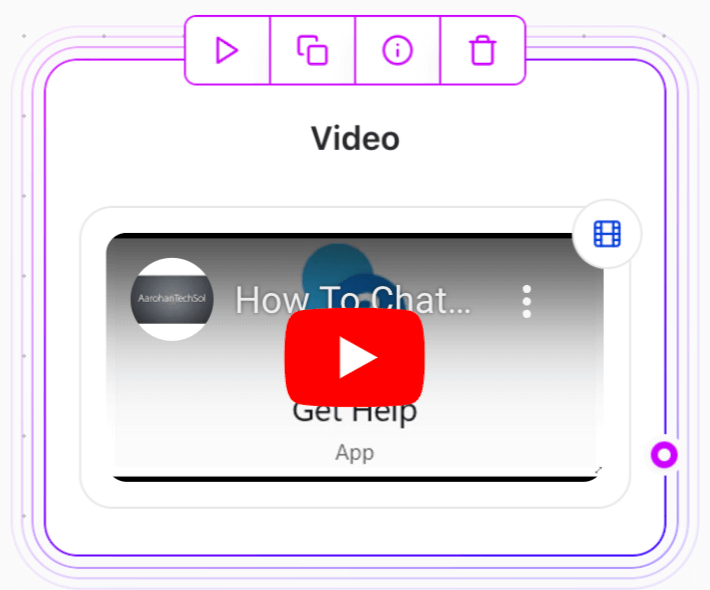
The **Play video** Agent Dialog element allows you to play videos to your users by pasting video URLs from supported platforms. This element is designed to automatically detect the video service and configure the correct settings for playback.
 ### Supported Video Services
When you paste a video URL, the system automatically detects the service and adjusts the iframe settings. Supported platforms include:
* **YouTube** (videos and shorts)
* **Vimeo**
* **TikTok**
* **Gumlet**
* **OneDrive**
### Missing Services
If the video platform is not supported, you can use the **[Embed content](./embed)** Agent Dialog element and paste the iframe code manually.
### Limitation: YouTube Clips
YouTube clips are not supported because the platform cannot automatically transform the clip URL into an embeddable format. To embed a YouTube clip:
1. Go to YouTube and click **Share > Embed**.
2. Copy the iframe code.
3. Use the **Embed Agent Dialog element** to paste the iframe code.
### Adding a Video with a URL
1. Copy the video URL from a supported platform.
2. Paste it into the Video Agent Dialog element.
3. The system will handle the embedding automatically.
### Adding a Video with the Embed Agent Dialog element (for unsupported services)
1. Obtain the iframe embed code from the video platform.
2. Add an **[Embed content](./embed)** Agent Dialog element.
3. Paste the iframe code directly into the element.
### Supported Video Services
When you paste a video URL, the system automatically detects the service and adjusts the iframe settings. Supported platforms include:
* **YouTube** (videos and shorts)
* **Vimeo**
* **TikTok**
* **Gumlet**
* **OneDrive**
### Missing Services
If the video platform is not supported, you can use the **[Embed content](./embed)** Agent Dialog element and paste the iframe code manually.
### Limitation: YouTube Clips
YouTube clips are not supported because the platform cannot automatically transform the clip URL into an embeddable format. To embed a YouTube clip:
1. Go to YouTube and click **Share > Embed**.
2. Copy the iframe code.
3. Use the **Embed Agent Dialog element** to paste the iframe code.
### Adding a Video with a URL
1. Copy the video URL from a supported platform.
2. Paste it into the Video Agent Dialog element.
3. The system will handle the embedding automatically.
### Adding a Video with the Embed Agent Dialog element (for unsupported services)
1. Obtain the iframe embed code from the video platform.
2. Add an **[Embed content](./embed)** Agent Dialog element.
3. Paste the iframe code directly into the element.