> ## Documentation Index
> Fetch the complete documentation index at: https://docs.release0.com/llms.txt
> Use this file to discover all available pages before exploring further.
# How to integrate your Agent with ElevenLabs
> Guide to using ElevenLabs API for text-to-speech conversion and enhancing audio agent dialogs.
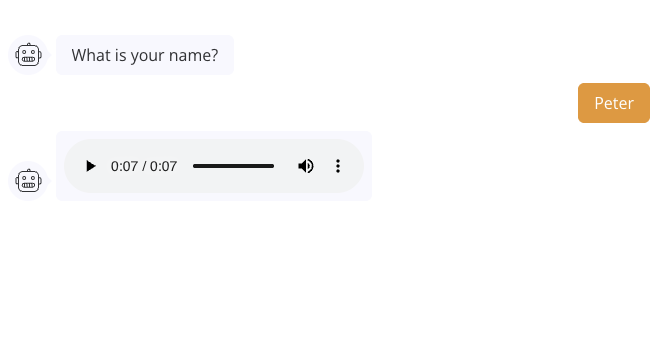
The **ElevenLabs** element uses ElevenLabs API and enables you to convert text into speech using their voices and models. This integration is useful for enhancing user interactions with **Audio Agent Dialogs** by generating realistic audio responses dynamically.
## Features
* **Text-to-Speech Conversion**: Transforms a text input into speech using ElevenLabs' models.
* **Temporary Audio Link**: Generates a temporary URL to the audio file, which can be used directly in an **Audio Agent Dialog** or other functionalities.
## How to Set Up the Integration
### 1. Obtain ElevenLabs API Key
1. Visit [ElevenLabs](https://www.elevenlabs.io/) and log in.
2. Navigate to your **API Key** section and copy the key for use in your configuration.
### 2. Configure your Agent flow
Add your ElevenLabs element to your agent flow. This element will allow you to convert text into speech. Then configure the element with the following parameters:
* **ElevenLabs API Key**: Paste your ElevenLabs API key here.
* **Text**: The text you want to convert into speech. This can be a static text or a variable that holds the text.
* **Voice**: Select the voice model you want to use for the conversion. ElevenLabs provides various voice options.
* **Model**: Choose the model you want to use for the text-to-speech conversion. Different models may have different characteristics and capabilities.
* **Save audio URL in variable** Save the generated audio URL in a variable for later use. Call the variable using an **Audio Agent Dialog** element to play the audio.
 #### Example: Text-to-Speech API Request
* Create a short greeting message using the **Text** dialog element.
* Prompt the user to enter their name using the **Text Input** element.
* Use the ElevenLabs element to convert the greeting message into speech. For example, if the greeting message is "Hello, \[User's Name]!", you can set the **Text** parameter to `Hello, {{user_name}}`.
* Select the desired voice and model from the ElevenLabs options.
* Save the generated audio URL in a variable, e.g., `greetings`.
#### Example: Text-to-Speech API Request
* Create a short greeting message using the **Text** dialog element.
* Prompt the user to enter their name using the **Text Input** element.
* Use the ElevenLabs element to convert the greeting message into speech. For example, if the greeting message is "Hello, \[User's Name]!", you can set the **Text** parameter to `Hello, {{user_name}}`.
* Select the desired voice and model from the ElevenLabs options.
* Save the generated audio URL in a variable, e.g., `greetings`.
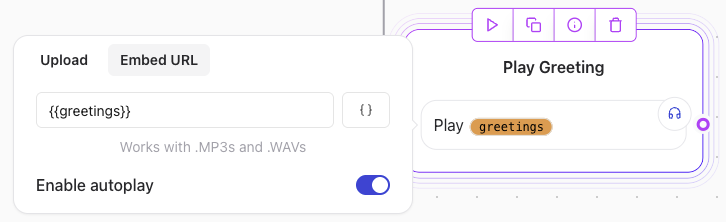
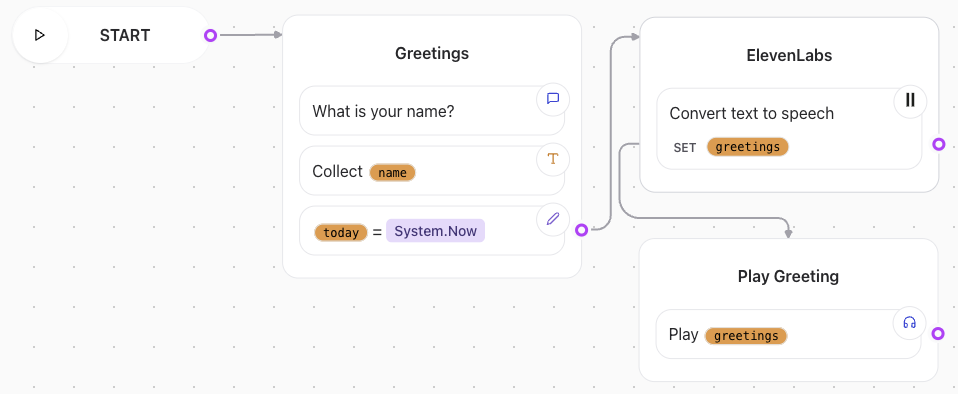 You can enable auto-play on the **Audio Agent Dialog** element to play the audio automatically when the dialog is triggered. This feature enhances user experience by providing immediate feedback.
 Once triggered, the ElevenLabs element will send a request to the ElevenLabs API with the specified parameters. The API will process the request and return a response containing the audio file URL.