> ## Documentation Index
> Fetch the complete documentation index at: https://docs.release0.com/llms.txt
> Use this file to discover all available pages before exploring further.
# How to Integrate Your Agent with Together AI
> Learn how to integrate Together AI with your Release0 agent to leverage powerful open-source models for enhanced chatbot responses.
Together AI makes it easy to run or fine-tune leading open source models with only a few lines of code.
You can integrate Together AI with Release0 to enhance your chatbot agent responses dynamically. You can connect external AI models or knowledge bases to your chatbot agent to provide more accurate and relevant responses to user queries.
## Prerequisites for integrating Together AI with Release0
* You must create an account with [Together AI](https://www.together.ai/)
* You must have an API key from Together AI for authentication.
## Connecting Together AI with Release0
1. Copy your Together AI API key from your Together AI settings under API Keys section.
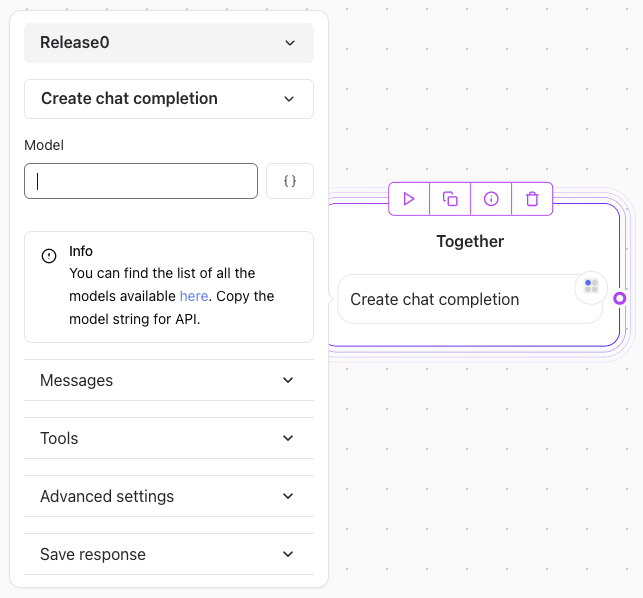
2. Paste the API key in the Together AI element in the Release0 editor.
3. Add the Model ID of the model you want to use in the Together AI element. For example: `Qwen/Qwen2.5-72B-Instruct-Turbo`. Here is a list of [available models](https://docs.together.ai/docs/inference-models#chat-models).
4. Add a message type (e.g., `user`) and select the variable where you stored the user message.
5. Add a message type (e.g., `assistant`) and select the variable where you want to store the response from Together AI.