> ## Documentation Index
> Fetch the complete documentation index at: https://docs.release0.com/llms.txt
> Use this file to discover all available pages before exploring further.
# How to export and import Agents
> Learn how to export and import agent flows for backup, duplication, or sharing across workspaces in Release0. This guide covers the steps to export an agent flow and import it into a new or existing agent, ensuring seamless transfer of configurations and logic.
You can export and import full Agent flows to back up, duplicate, or share agents—even across different [workspaces](/workspace/general).
## Exporting an Agent Flow
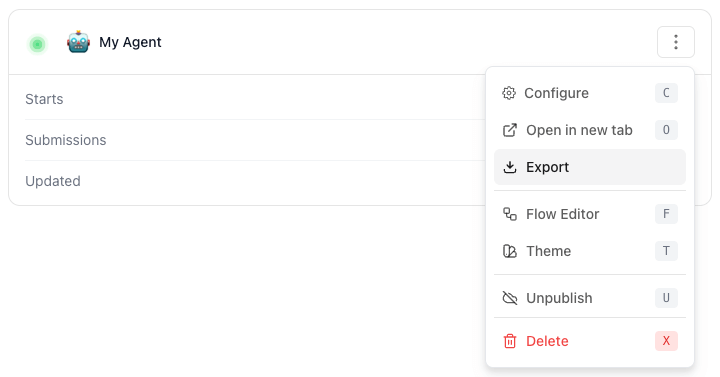
1. Open the builder for the agent you want to export.
2. Click the **menu button** (three dots) in the top-right corner.
3. Select **Export** from the dropdown menu.
4. Save the file to your preferred location.
 ## Importing an Agent Flow
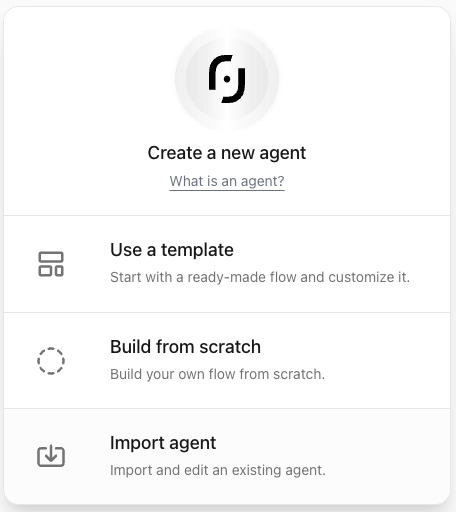
You can import an existing agent flow when creating a new agent. Follow these steps:
1. Go to the agent creation page.
2. Choose **Import a file**.
3. Upload the previously exported file.
4. Review the imported flow to ensure everything is correctly configured.
## Importing an Agent Flow
You can import an existing agent flow when creating a new agent. Follow these steps:
1. Go to the agent creation page.
2. Choose **Import a file**.
3. Upload the previously exported file.
4. Review the imported flow to ensure everything is correctly configured.
 ### Validation and Testing
Before deploying the imported agent, ensure:
* All flows are correctly mapped and functional.
* There are no missing or broken connections.
* The agent dialog performs as expected in test runs.
By following these steps, you can easily manage and reuse agent flows across different projects and [workspaces](/workspace/general).
### Validation and Testing
Before deploying the imported agent, ensure:
* All flows are correctly mapped and functional.
* There are no missing or broken connections.
* The agent dialog performs as expected in test runs.
By following these steps, you can easily manage and reuse agent flows across different projects and [workspaces](/workspace/general).