> ## Documentation Index
> Fetch the complete documentation index at: https://docs.release0.com/llms.txt
> Use this file to discover all available pages before exploring further.
# How to enable RTL (Right-to-Left) support
> Learn how to enable right-to-left (RTL) text alignment in your agent using custom CSS for better layout and responsiveness in languages like Arabic and Hebrew. This guide provides step-by-step instructions to apply RTL styling in your chatbot.
## Steps to Enable RTL
1. Navigate to the **Theme** tab in your Agent settings.
2. Paste the following Custom CSS into the designated Custom CSS field:
```css theme={null}
.agent-container {
direction: rtl;
}
.agent-avatar-container {
margin-right: 0;
margin-left: 0.5rem;
}
.guest-container {
margin-left: 0;
margin-right: 50px;
}
```
3. Exit the CSS box to apply the new styling.
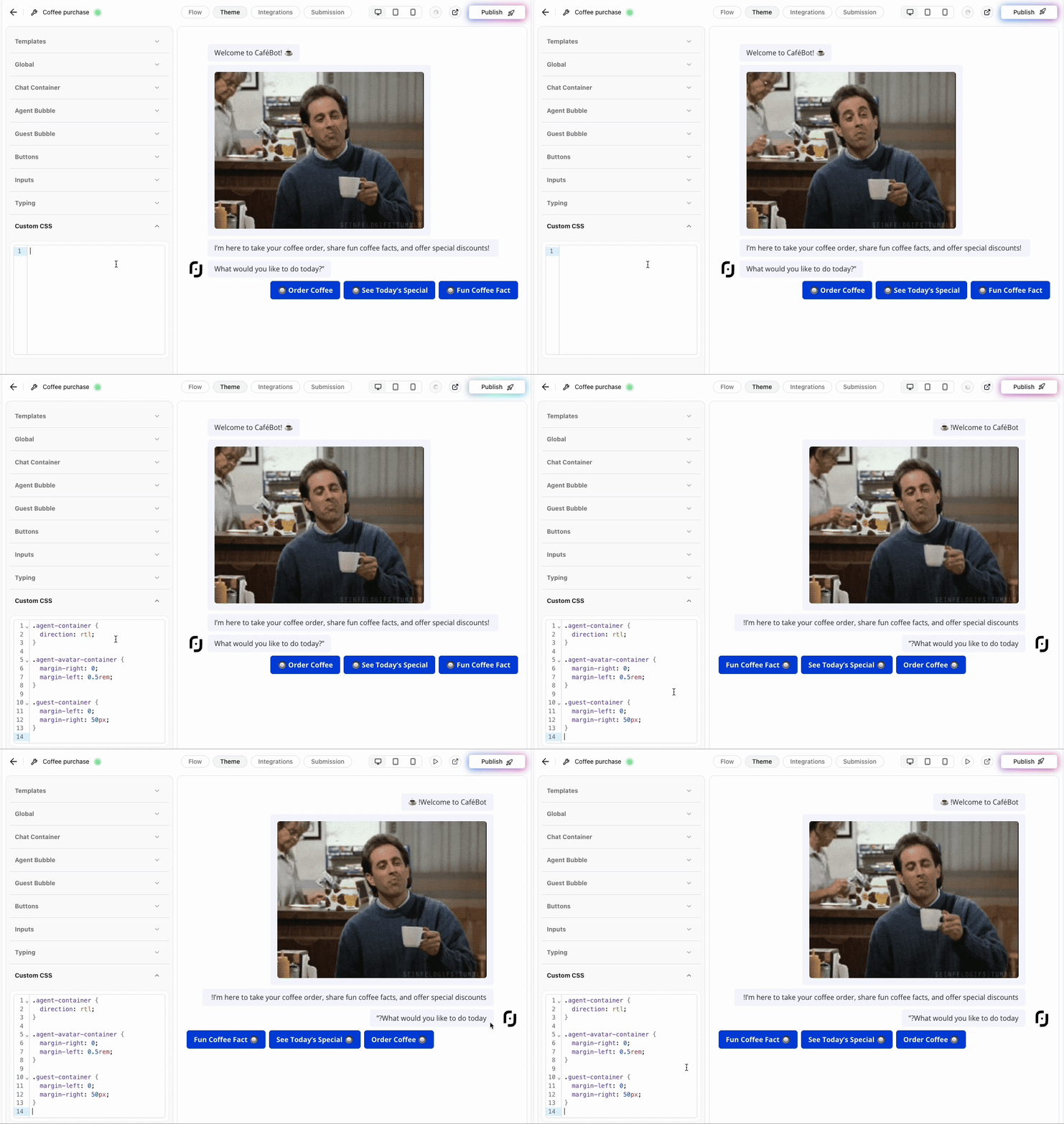 > **Note**: Adjust margins or padding values as needed to ensure proper alignment based on your layout preferences.
### Validation and Testing
Before deployment:
* Confirm that text aligns properly in right-to-left format.
* Verify that margins and paddings are consistent across all elements.
* Test on different devices to ensure responsiveness.
> **Note**: Adjust margins or padding values as needed to ensure proper alignment based on your layout preferences.
### Validation and Testing
Before deployment:
* Confirm that text aligns properly in right-to-left format.
* Verify that margins and paddings are consistent across all elements.
* Test on different devices to ensure responsiveness.