> ## Documentation Index
> Fetch the complete documentation index at: https://docs.release0.com/llms.txt
> Use this file to discover all available pages before exploring further.
# How to use Release0 Analytics
> Gain insights into user behavior and optimize chat flows with Release0 analytics. This guide provides an overview of the in-depth analytics feature, including user drop-off points, actionable insights, and conversion tracking.
## Overview
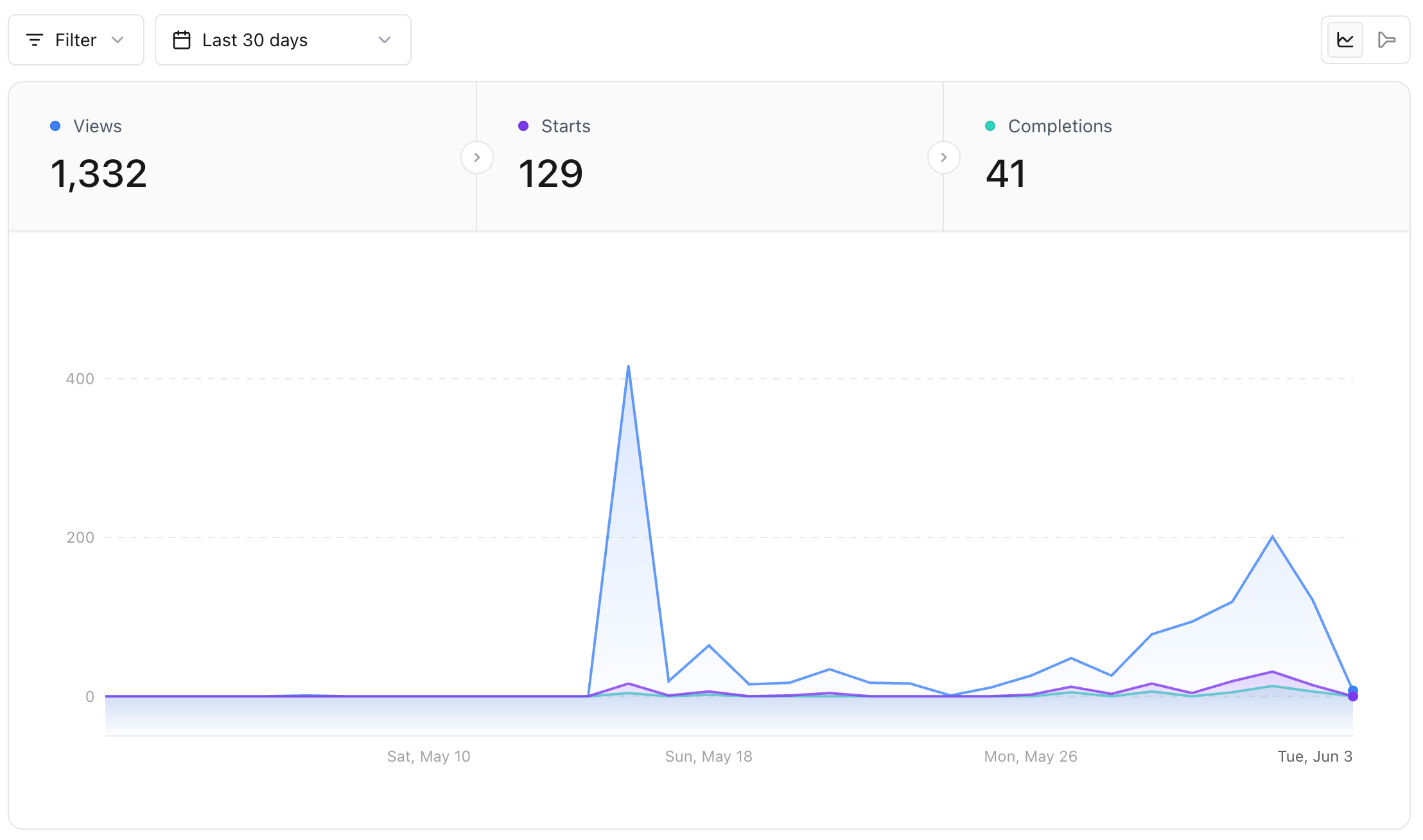
The **in-depth analytics** feature enables you to:
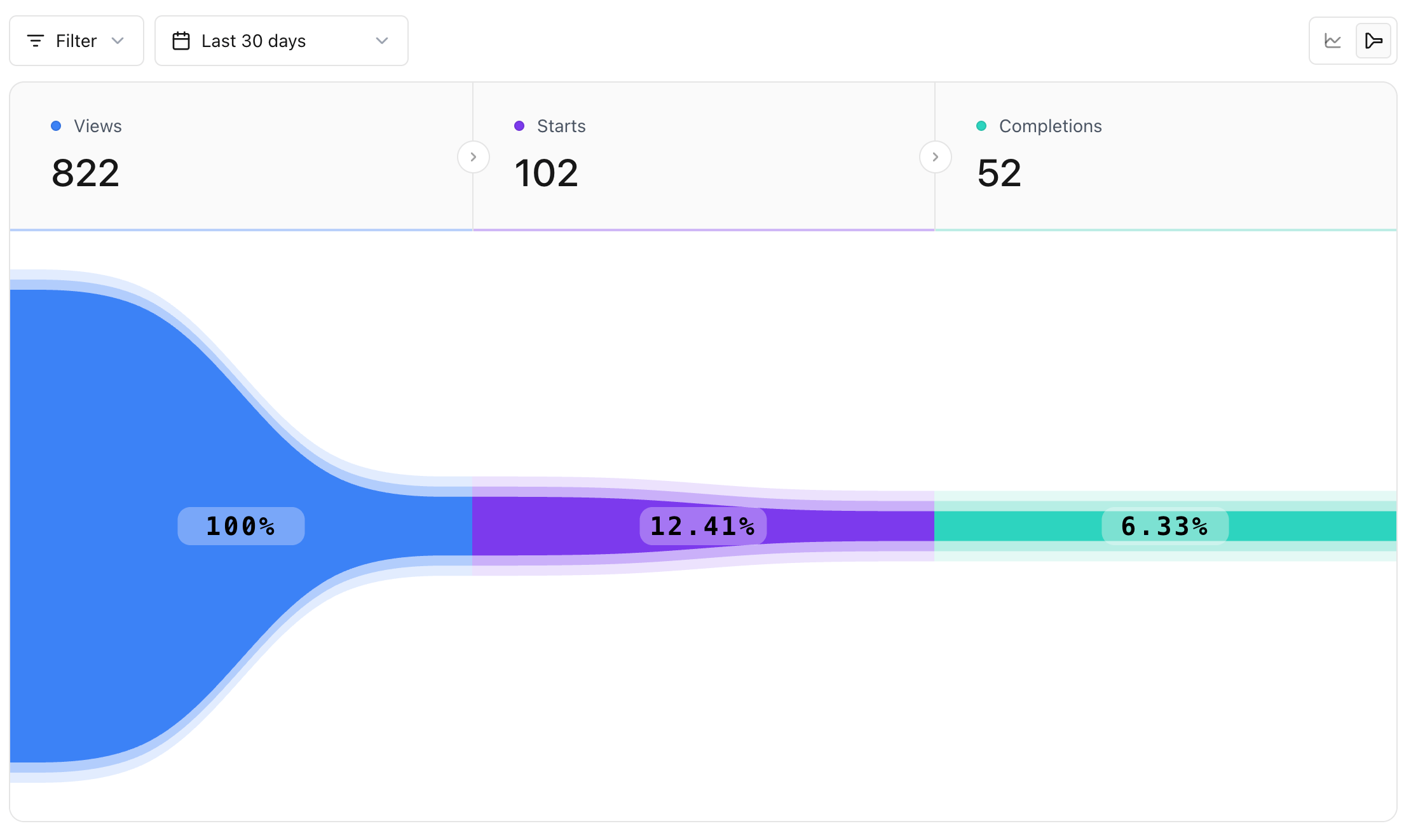
* Identify **user drop-off points** during interactions.
* Gain **actionable insights** into user behavior.
* Incrementally improve your **chat conversion rate**.
 ## Benefits
* **Track User Engagement**: Understand where users spend the most time and where they disengage.
* **Optimize Chat Flows**: Use data-driven insights to refine conversation paths.
* **Boost Conversion Rates**: Leverage analytics to enhance user experience and improve outcomes.
## Key Features
| Feature | Description |
| ----------------------- | -------------------------------------------------------- |
| **Drop-Off Analysis** | Identifies steps in the chat flow where users leave. |
| **Behavioral Insights** | Tracks user actions and decision points during chats. |
| **Conversion Tracking** | Measures the percentage of users who complete key goals. |
## Benefits
* **Track User Engagement**: Understand where users spend the most time and where they disengage.
* **Optimize Chat Flows**: Use data-driven insights to refine conversation paths.
* **Boost Conversion Rates**: Leverage analytics to enhance user experience and improve outcomes.
## Key Features
| Feature | Description |
| ----------------------- | -------------------------------------------------------- |
| **Drop-Off Analysis** | Identifies steps in the chat flow where users leave. |
| **Behavioral Insights** | Tracks user actions and decision points during chats. |
| **Conversion Tracking** | Measures the percentage of users who complete key goals. |
 ## Agent conversation tracking
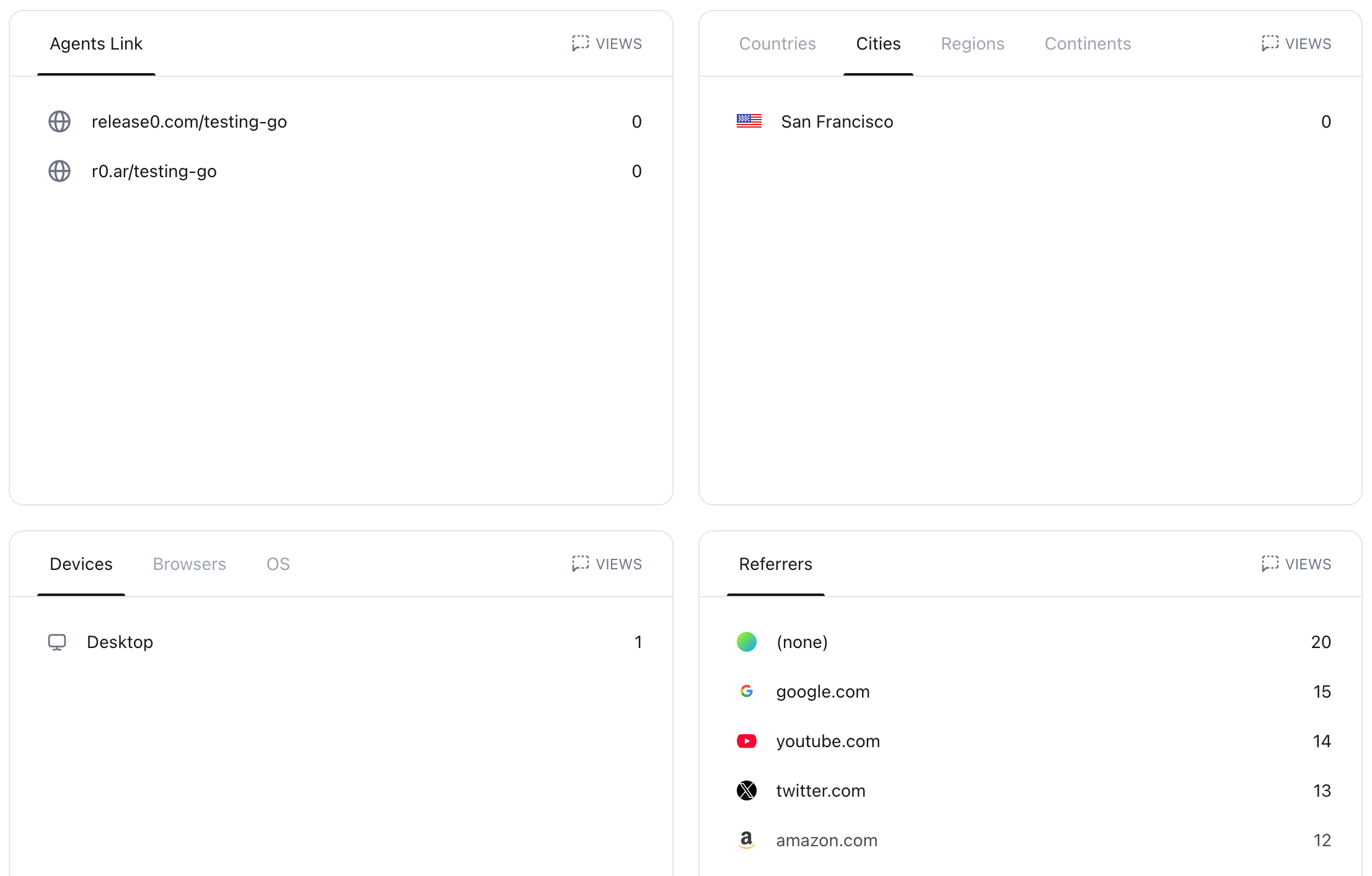
Server-side agent tracking is enabled by default for all Release0 agents and come with the following attributes:
| Attribute | Description |
| :---------- | :------------------------------------------------------- |
| `agent` | The agent name |
| `domain` | The domain where the agent was executed |
| `tag` | The tag label assigned to the agent |
| `country` | The country of the user who initiated the agent |
| `city` | The city of the user who initiated the agent |
| `region` | The Region of the user who initiated the agent |
| `continent` | The continent of the user who initiated the agent |
| `device` | The device of the user who initiated the agent |
| `browser` | The browser of the user who initiated the agent |
| `os` | The operating system of the user who initiated the agent |
These events happen on the server-side and cannot be elemented by browser extensions or ad-elementers, which improves the accuracy of your analytics data.
## Agent conversation tracking
Server-side agent tracking is enabled by default for all Release0 agents and come with the following attributes:
| Attribute | Description |
| :---------- | :------------------------------------------------------- |
| `agent` | The agent name |
| `domain` | The domain where the agent was executed |
| `tag` | The tag label assigned to the agent |
| `country` | The country of the user who initiated the agent |
| `city` | The city of the user who initiated the agent |
| `region` | The Region of the user who initiated the agent |
| `continent` | The continent of the user who initiated the agent |
| `device` | The device of the user who initiated the agent |
| `browser` | The browser of the user who initiated the agent |
| `os` | The operating system of the user who initiated the agent |
These events happen on the server-side and cannot be elemented by browser extensions or ad-elementers, which improves the accuracy of your analytics data.
 ## How to Use
1. **Access Analytics**: Navigate to the "Analytics" section in your dashboard.
2. **Review Key Metrics**:
* Check user drop-off rates in each conversation step.
* Analyze popular paths and common bottlenecks.
3. **Implement Improvements**:
* Adjust conversation flows based on insights.
* Test changes to observe their impact on user behavior.
4. **Monitor Results**: Regularly review analytics to ensure ongoing optimization.
## Example
Here’s an example of how analytics can be used to improve performance:
> **Scenario**: You notice a high drop-off rate on the step where users are asked for their email.\
> **Action**: Simplify the question or provide more context to assure users about data privacy.\
> **Result**: A decrease in drop-offs and an increase in email submissions.
## Validation and Testing
Before deploying changes based on analytics insights, ensure:
* Data is correctly captured and visualized in the dashboard.
* Any adjustments to the chat flow are tested for usability and clarity.
* Conversion rates are monitored to validate the effectiveness of changes.
> **Note**: Regularly update your chat flow based on the latest analytics data to maintain optimal performance.
## How to Use
1. **Access Analytics**: Navigate to the "Analytics" section in your dashboard.
2. **Review Key Metrics**:
* Check user drop-off rates in each conversation step.
* Analyze popular paths and common bottlenecks.
3. **Implement Improvements**:
* Adjust conversation flows based on insights.
* Test changes to observe their impact on user behavior.
4. **Monitor Results**: Regularly review analytics to ensure ongoing optimization.
## Example
Here’s an example of how analytics can be used to improve performance:
> **Scenario**: You notice a high drop-off rate on the step where users are asked for their email.\
> **Action**: Simplify the question or provide more context to assure users about data privacy.\
> **Result**: A decrease in drop-offs and an increase in email submissions.
## Validation and Testing
Before deploying changes based on analytics insights, ensure:
* Data is correctly captured and visualized in the dashboard.
* Any adjustments to the chat flow are tested for usability and clarity.
* Conversion rates are monitored to validate the effectiveness of changes.
> **Note**: Regularly update your chat flow based on the latest analytics data to maintain optimal performance.