> ## Documentation Index
> Fetch the complete documentation index at: https://docs.release0.com/llms.txt
> Use this file to discover all available pages before exploring further.
# How to use the Shared Dashboard
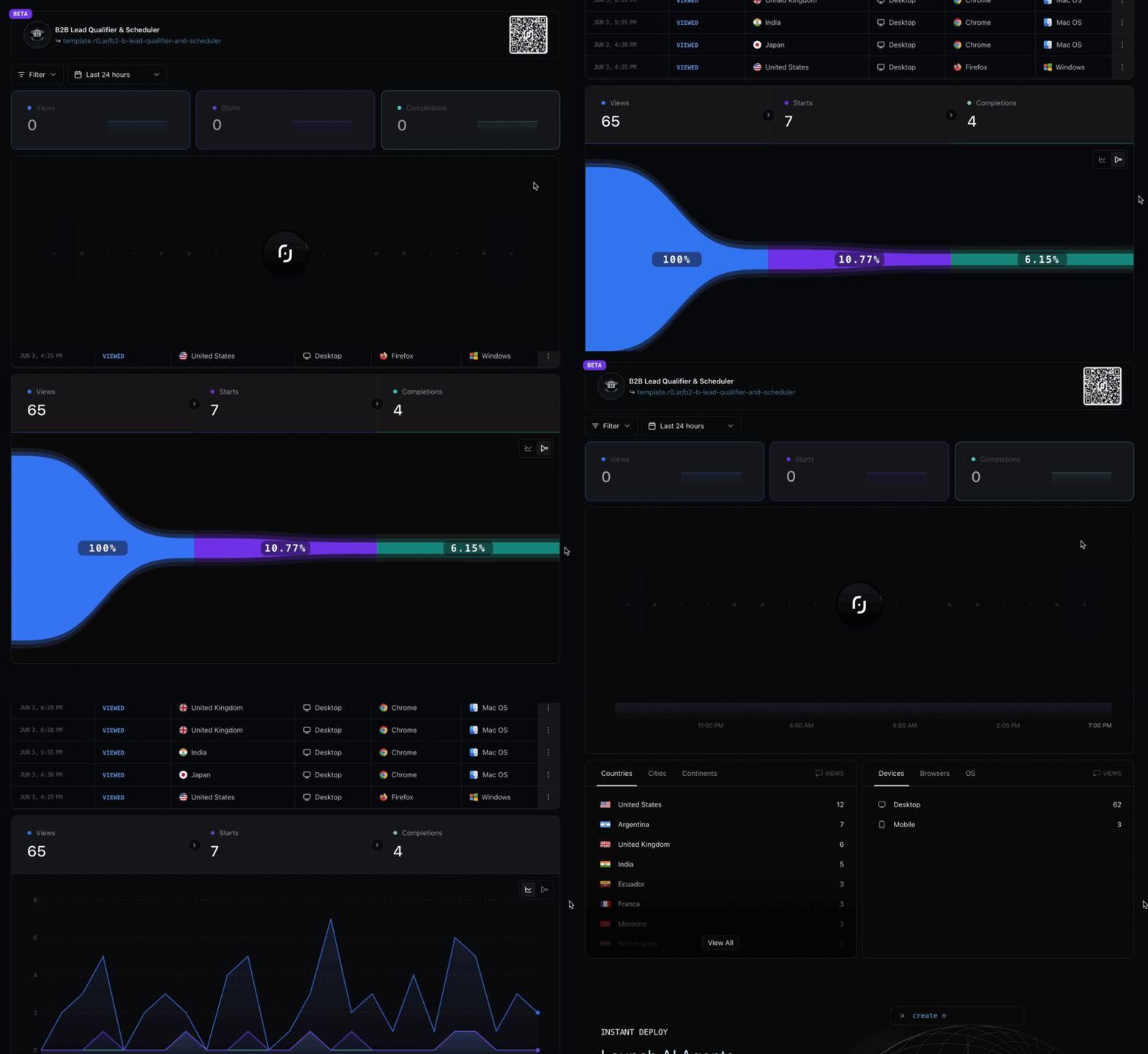
> Share public analytics dashboards for your Release0 agents with stakeholders. This guide provides step-by-step instructions to create and manage shared dashboards, including password protection and sharing options.
The **Shared Dashboard** is a public analytics dashboard that allows you to share your agent's performance metrics with anyone, even if they don't have a Release0 account. This feature is particularly useful for showcasing your agent's capabilities to stakeholders or clients.
For further control, you can also set a password for your public analytics dashboard to restrict access.
## How to Create a Shared Dashboard
To create a shared dashboard, follow these steps:
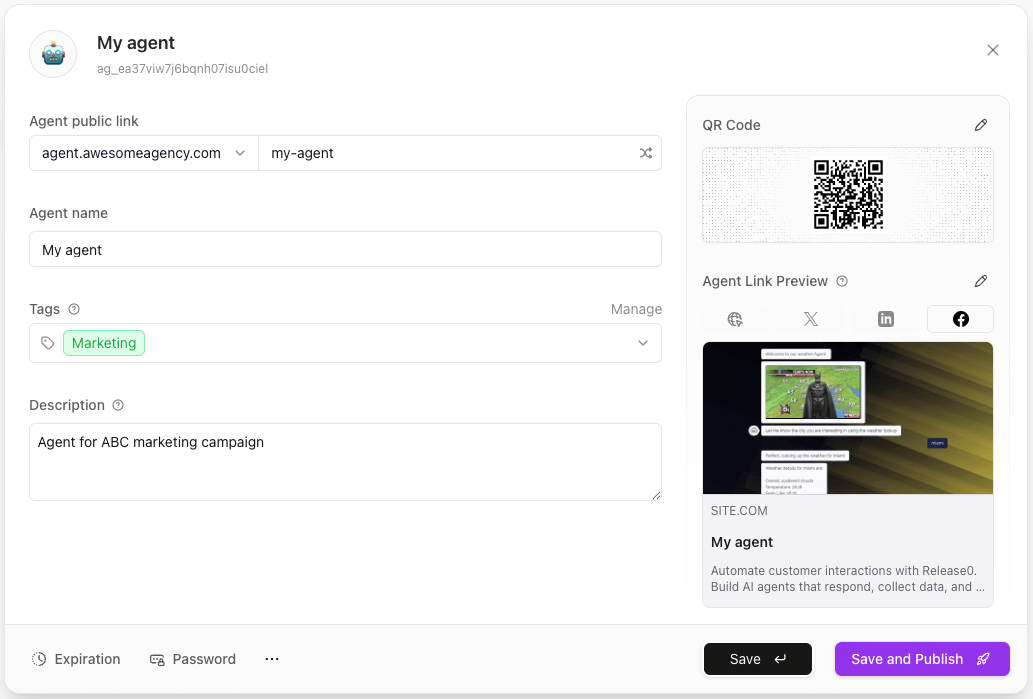
1. Click on your agents name in the top left corner of the flow editor.This will open the agent settings.
2. Click on the **Shared Dashboard** option at the bottom of the settings menu.
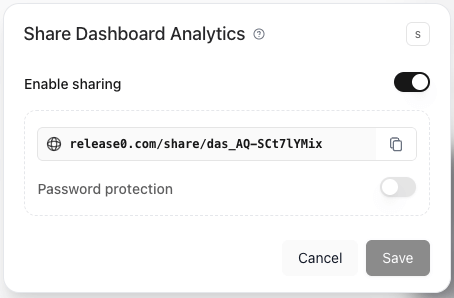
 3. In the Shared Dashboard settings, you can:
* **Enable Sharing**: Toggle the switch to make your dashboard public.
* **Password protection**: If you want to restrict access, set a password that users must enter to view the dashboard.
* **Copy the Dashboard Link**: Once enabled, you can copy the link to share with others.
3. In the Shared Dashboard settings, you can:
* **Enable Sharing**: Toggle the switch to make your dashboard public.
* **Password protection**: If you want to restrict access, set a password that users must enter to view the dashboard.
* **Copy the Dashboard Link**: Once enabled, you can copy the link to share with others.
 4. Share the link with anyone you want to give access to your agent's performance metrics.
5. If you set a password, users will need to enter it to view the dashboard.
6. You can disable sharing at any time by toggling the switch off in the Shared Dashboard settings.
4. Share the link with anyone you want to give access to your agent's performance metrics.
5. If you set a password, users will need to enter it to view the dashboard.
6. You can disable sharing at any time by toggling the switch off in the Shared Dashboard settings.