> ## Documentation Index
> Fetch the complete documentation index at: https://docs.release0.com/llms.txt
> Use this file to discover all available pages before exploring further.
# Overview of Release0 workspaces
> Overview of Release0 workspaces, including settings, plans, and member management. This guide covers how to manage your workspace, including workspace name, slug, logo, and credentials. Learn how to add members, manage billing, and customize your workspace settings.
## Workspace Overview
Everything you do in an **Release0** takes place in a workspace. A workspace is like a home. It includes members, which could be just you, your team, or the entire company.
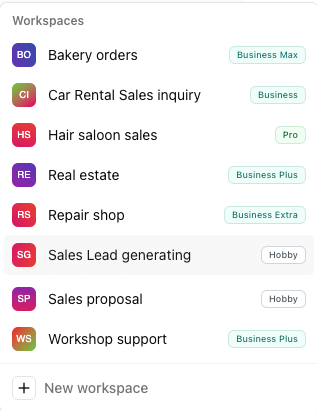
Your plan is tied to your workspace. For example, if you have a **Business plan** workspace and create a new one, the new workspace will default to a **Hobby** plan.
You can create as many workspaces as you want but you can only have **2 Hobby** (free) workspaces at a given time.
Most of the workspace settings can be accessed by selecting the workspace name from the dropdown in the top left corner of the dashboard, and then selecting **Settings**.
 ## Workspace Name
This is the name of your workspace. You can change it at any time. The name of the workspace is used to identify it in the dropdown menu. It allows a maximum of 32 characters.
## Workspace Slug
It's your workspace unique slug on Release0. It is used to identify your workspace in the flow URL and they are also used as part of your agent public URL.
The slug is automatically generated when you create a new workspace, but you can change it at any time.
The slug must be unique and can only contain lowercase letters, numbers, and hyphens. It cannot contain spaces or special characters.
The slug is used to access your workspace in the URL. For example, if your workspace slug is `my-slug`, you can access it at `https://r0.ar/my-slug/my-agent`.
It is important to know that if you change the slug, the URL of your agents will also change. For example, if you change the slug from `my-slug` to `my-new-slug`, the URL of your agents will change from `https://r0.ar/my-slug/my-agent` to `https://r0.ar/my-new-slug/my-agent`.
> **Note:** If you are bringing your own custom domain, your agent link do not use a **[workspace slug](/workspace/general#workspace-slug)**. The slug is only used for the domains provided by Release0 (e.g. `release0.ar/your-slug/agent`).
## Workspace Logo
This is the logo of your workspace. You can upload a new logo at any time. The logo is used to identify your workspace in the dropdown menu and in the URL. It is also used in the email notifications sent to your members.
## Workspace ID
It is a unique internal identifier for your workspace. It is used to identify your workspace in the database and in the API. You can find it in the **Settings** tab of your workspace.
## Delete Workspace
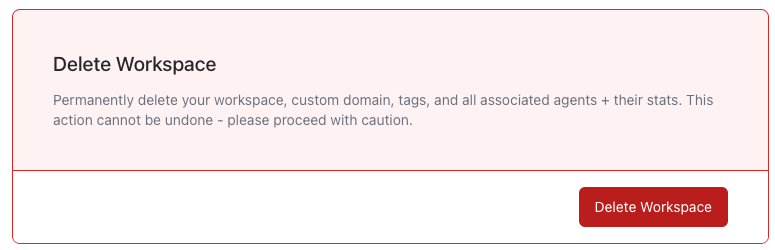
Use this option to permanently delete your workspace. This action is **irreversible** and all data associated with the workspace will be **lost**, including agents, members, and settings. This action cannot be undone so be careful when using it.
## Workspace Credentials
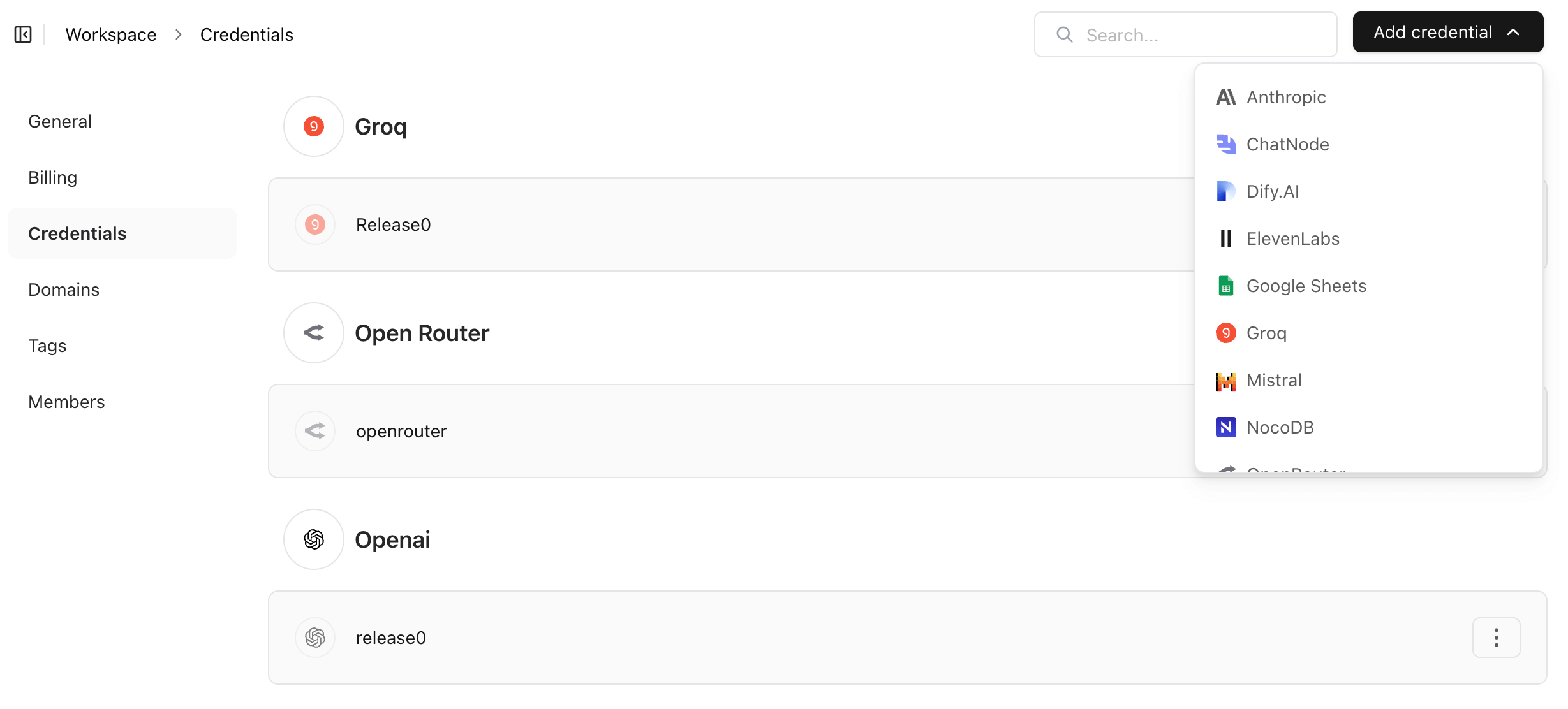
**Workspace Credentials** are used to securely connect Release0 agents with external services, such as APIs or third-party platforms.
When you create a new credential in your agent, it is automatically stored as a *workspace-level credential*. This means:
* It is shared across all agents in the workspace.
* All workspace members can use it in their flows.
* You only need to manage the credential in one place.
**Note**: These credentials are isolated per workspace and never shared across organizations.
To add a new credential click on the **Add Credential** button, select the name of the service from the dropdown list and fill in the required information.
## Workspace Name
This is the name of your workspace. You can change it at any time. The name of the workspace is used to identify it in the dropdown menu. It allows a maximum of 32 characters.
## Workspace Slug
It's your workspace unique slug on Release0. It is used to identify your workspace in the flow URL and they are also used as part of your agent public URL.
The slug is automatically generated when you create a new workspace, but you can change it at any time.
The slug must be unique and can only contain lowercase letters, numbers, and hyphens. It cannot contain spaces or special characters.
The slug is used to access your workspace in the URL. For example, if your workspace slug is `my-slug`, you can access it at `https://r0.ar/my-slug/my-agent`.
It is important to know that if you change the slug, the URL of your agents will also change. For example, if you change the slug from `my-slug` to `my-new-slug`, the URL of your agents will change from `https://r0.ar/my-slug/my-agent` to `https://r0.ar/my-new-slug/my-agent`.
> **Note:** If you are bringing your own custom domain, your agent link do not use a **[workspace slug](/workspace/general#workspace-slug)**. The slug is only used for the domains provided by Release0 (e.g. `release0.ar/your-slug/agent`).
## Workspace Logo
This is the logo of your workspace. You can upload a new logo at any time. The logo is used to identify your workspace in the dropdown menu and in the URL. It is also used in the email notifications sent to your members.
## Workspace ID
It is a unique internal identifier for your workspace. It is used to identify your workspace in the database and in the API. You can find it in the **Settings** tab of your workspace.
## Delete Workspace
Use this option to permanently delete your workspace. This action is **irreversible** and all data associated with the workspace will be **lost**, including agents, members, and settings. This action cannot be undone so be careful when using it.
## Workspace Credentials
**Workspace Credentials** are used to securely connect Release0 agents with external services, such as APIs or third-party platforms.
When you create a new credential in your agent, it is automatically stored as a *workspace-level credential*. This means:
* It is shared across all agents in the workspace.
* All workspace members can use it in their flows.
* You only need to manage the credential in one place.
**Note**: These credentials are isolated per workspace and never shared across organizations.
To add a new credential click on the **Add Credential** button, select the name of the service from the dropdown list and fill in the required information.
 ## Domains
Domains are used to access your workspace and agents. You can add your own custom domain to your workspace to use it for your agents.
For more detail on how to add a custom domain to your workspace, please see the [Custom Domain](/workspace/customDomains) documentation.
## Tags
Tags are used to categorize your agents within a workspace. You can add multiple tags to your agents to help you organize and search for them. please see the [Tags section](/workspace/tags) of the documentation for more details.
## Team Members
### Members List
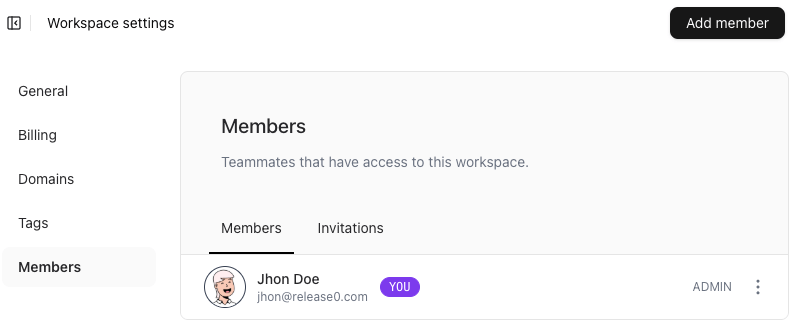
A person becomes a member of a workspace when they have access to the entire workspace. Once added, the workspace will be visible in their dropdown menu:
For more information on how to add members to your workspace, please see the [Members](/workspace/add-members-and-guests) documentation.
## Domains
Domains are used to access your workspace and agents. You can add your own custom domain to your workspace to use it for your agents.
For more detail on how to add a custom domain to your workspace, please see the [Custom Domain](/workspace/customDomains) documentation.
## Tags
Tags are used to categorize your agents within a workspace. You can add multiple tags to your agents to help you organize and search for them. please see the [Tags section](/workspace/tags) of the documentation for more details.
## Team Members
### Members List
A person becomes a member of a workspace when they have access to the entire workspace. Once added, the workspace will be visible in their dropdown menu:
For more information on how to add members to your workspace, please see the [Members](/workspace/add-members-and-guests) documentation.
 ### Admins
Administrators have full management access to the workspace. They can:
* Invite new members.
* Manage workspace settings.
* Handle billing.
* Perform additional administrative actions.
## Delete a Workspace
To delete a workspace, navigate to the general tab under workspace settings and proceed with the deletion:
### Admins
Administrators have full management access to the workspace. They can:
* Invite new members.
* Manage workspace settings.
* Handle billing.
* Perform additional administrative actions.
## Delete a Workspace
To delete a workspace, navigate to the general tab under workspace settings and proceed with the deletion: