

“If Score is greater than 10, follow this path. Otherwise, follow another path.”
How Conditions Work
A condition element evaluates one or more comparisons, which can be combined using logical operators AND or OR:- AND: All comparisons must evaluate to
truefor the condition to pass. - OR: At least one comparison must evaluate to
truefor the condition to pass.
Operators Available and Their Behavior
Regex Examples
Regex patterns can help match complex string conditions:- Exact Match:
/^hello$/matches the string"hello", but not"hello world". - Contains Substring:
/hello/matches any string containing"hello"(e.g.,"hello world"). - Case-Insensitive Match:
/hello/imatches"Hello"or"HELLO". - Digit Check:
/[0-9]+/matches strings with one or more digits, such as"123"or"abc123".
/ to be valid.
Example Use Case
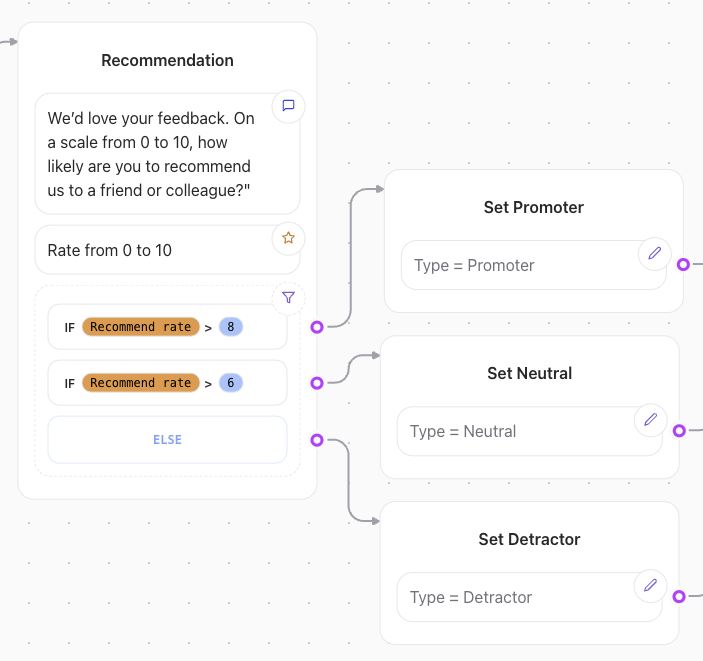
If you want to route a flow based on the user’s score, you can define:-
Condition:
Score > 20
Path A: “High Score Route”
Path B: “Low Score Route” -
Condition:
User Tags contains "premium"
Path A: “Premium Features Route”
Path B: “Basic Features Route”