

Key Features of the Jump to element
-
Simplifies Flow Structure:
Instead of creating duplicate elements or drawing long, messy connections, you can reuse existing elements by jumping to them. -
Efficient Flow Design:
- Reduces redundancy by avoiding repeated elements.
- Helps centralize logic, making future edits easier.
-
Flexibility:
Allows dynamic redirection to key elements, such as a Menu, FAQ, or Restart.
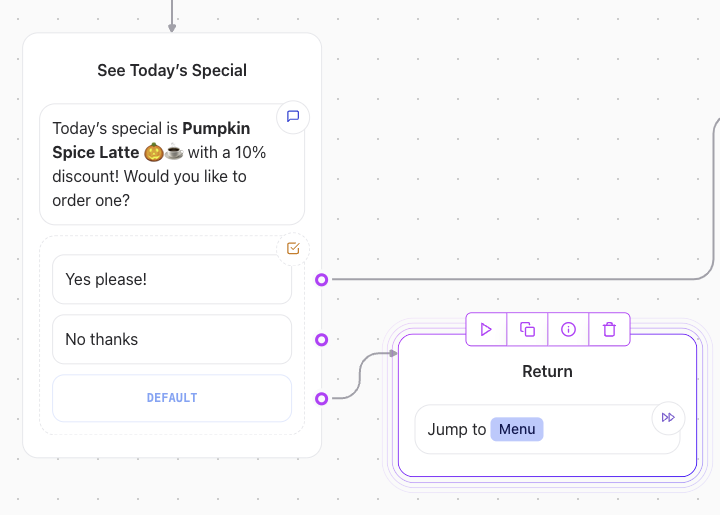
Example Use Case: Jumping to the “Menu”
-
Scenario:
After completing a specific action (e.g., submission confirmation), you want the user to return to the main menu without duplicating it in the flow. -
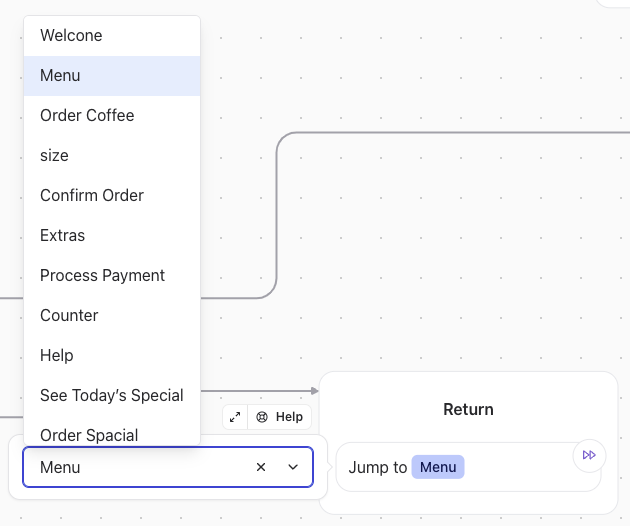
Implementation:
Add a Jump to element in the current sequence, select the “Menu” element as the destination, and the conversation will seamlessly redirect there.