

How the Google Analytics element Works
When you include a Google Analytics element in your flow, it performs the following actions:- Initialize GA: Tracks a “Page view” event upon page load.
- Track Events: Executes the specified event when the element is triggered.
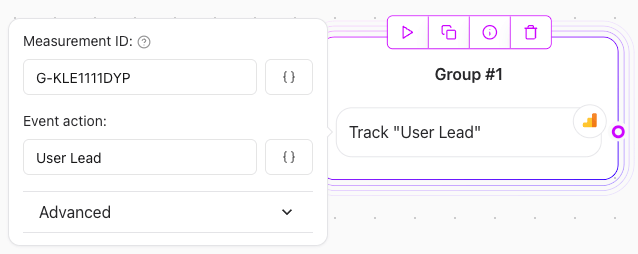
Example: Google Analytics element Configuration
Tracking Conversions with Google Ads
You can use the Google Analytics element to track conversion events for Google Ads. Configure the element with the following properties:- Event action:
conversion - Send to:
<YOUR_AW_ID> - Value (optional): Specify a numerical value to quantify the conversion.
Note: Replace <YOUR_AW_ID> with your actual Google Ads conversion ID.
Troubleshooting
To debug and monitor your Google Analytics events:- Install the Google Analytics Debugger extension in your browser.
- Use the extension to inspect the data being sent to Google Analytics.