

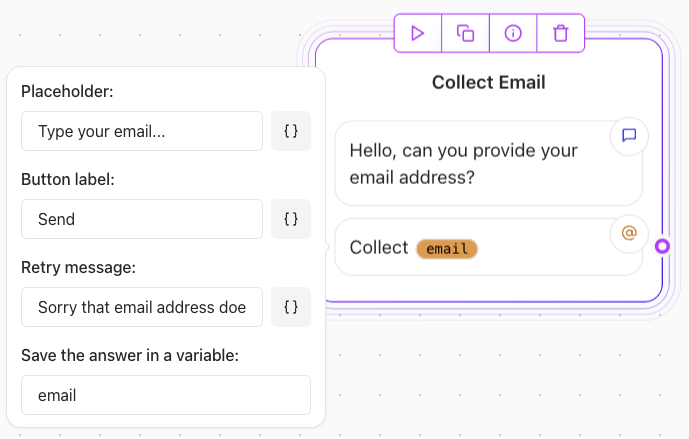
Key Features
- Email Format Validation: Automatically checks if the user-provided email is correctly formatted (e.g.,
user@example.com). - Retry Message: Displays a retry message if the email format is invalid.
Limitations
- No Validity Check: The element does not verify if the email is active or belongs to a real domain.
- Advanced Validation: To check email validity, integrate with an email validation API using an HTTP Request element.
Example Usage
Basic Configuration
User prompt:“Please enter your email address.” Behavior:
- The element ensures the input is in the correct format (e.g.,
example@domain.com). - If the format is incorrect, a retry message prompts the user to re-enter the email.
Advanced Validation with HTTP Request element
- Add an HTTP Request element after the Email Input element.
- Configure the HTTP request to send the collected email address to an email validation API (e.g., Hunter.io, Mailboxlayer, etc.).
- Process the response to determine the next flow in your agent.
- API Endpoint:
https://api.mailboxlayer.com/check?access_key=YOUR_API_KEY&email={{email_variable}} - Method:
GET - Variable: Replace
{{email_variable}}with the variable storing the user’s email.