

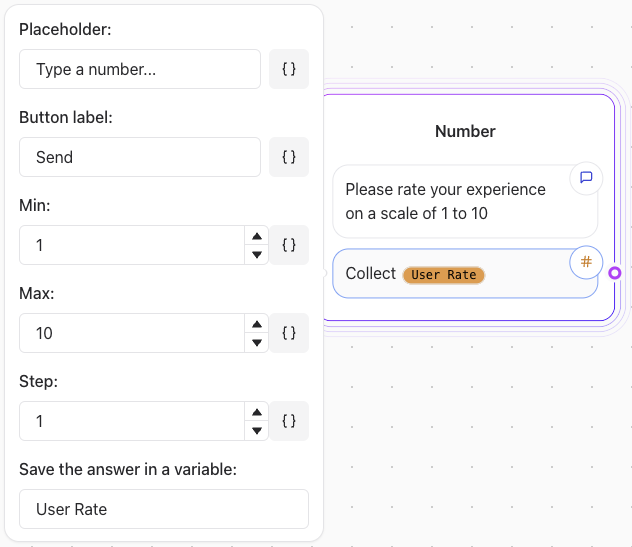
Key Features
-
Minimum Value: Set the lowest acceptable number.
- Example: If
min = 1, the user cannot input a number less than 1.
- Example: If
-
Maximum Value: Define the highest acceptable number.
- Example: If
max = 100, the user cannot input a number greater than 100.
- Example: If
-
Step Value: Specify the increment between allowed numbers.
- Example: If
step = 5, the user can input numbers like 5, 10, 15, etc.
- Example: If
Example Configuration
Asking for a Rating (1 to 10)
- Minimum: 1
- Maximum: 10
- Step: 1
“Rate your experience on a scale of 1 to 10.”
Collecting a Price Estimate
- Minimum: 0
- Maximum: 10000
- Step: 0.01
“Enter your price estimate in dollars (up to two decimal places).”
Asking for Age
- Minimum: 0
- Maximum: 120
- Step: 1
“How old are you?”
Considerations
- Validation: Ensure the number input aligns with the constraints to avoid errors.
- User Feedback: Provide clear instructions to guide users on acceptable inputs.
- Testing: Verify the element’s behavior for edge cases (e.g., entering values outside the allowed range).